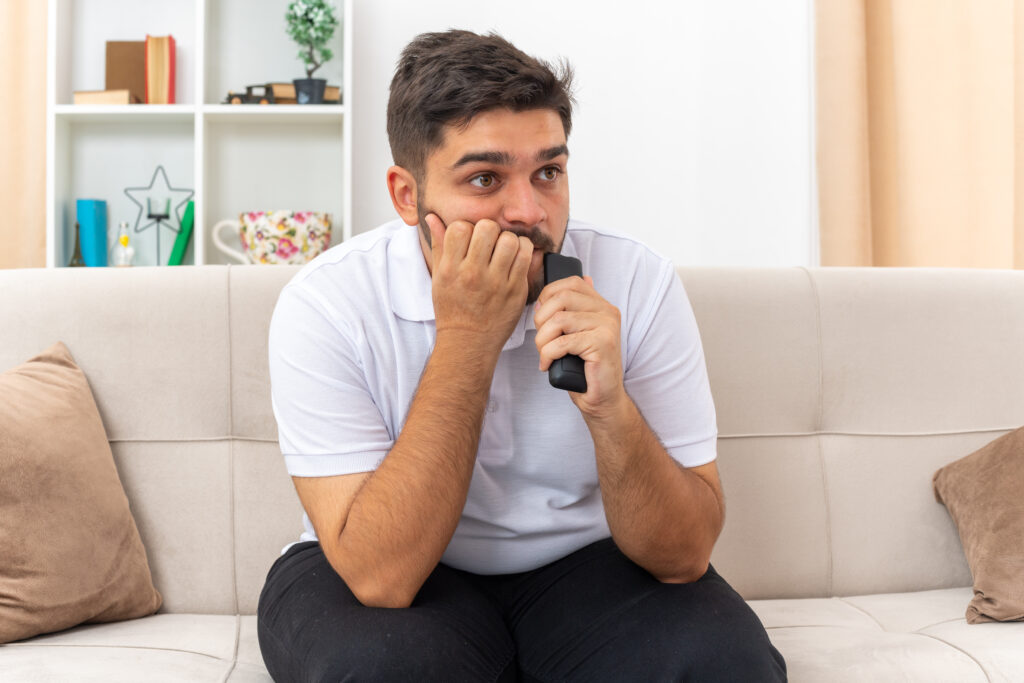
There’s nothing more frustrating than turning on your air conditioner during a hot day and realizing it’s not working. Whether your AC won’t turn on at all, is blowing warm air, or suddenly shuts down without warning, a system failure can quickly turn your home from comfortable to unbearable. In areas where air conditioning runs for much of the year, losing cooling even for a few hours can feel urgent and stressful.
Before assuming the worst, it’s important to know that not every AC problem requires a major repair. In many cases, the issue may be something simple, such as a thermostat setting, a tripped breaker, a clogged air filter, or a blocked outdoor unit. Taking a few quick troubleshooting steps can sometimes restore comfort without the need for emergency service. In this guide, we’ll walk through what to check first, the most common reasons an AC system stops working, what to avoid doing, and when it’s time to call a professional to prevent further damage.
First Steps: Quick Checks Before You Panic
When your AC stops working, it’s easy to assume the worst. However, many cooling problems are caused by small, easily fixable issues. Before calling for service, take a few minutes to go through these basic checks. You may be able to restore your system quickly and avoid unnecessary repairs.
1. Check the Thermostat
Start with the thermostat, as this is often the simplest source of the problem.
- Is the thermostat set correctly?: Make sure the thermostat is set to “Cool” and that the temperature is set lower than the current room temperature. It’s also important to confirm that the fan setting is on “Auto” or “On” depending on your preference. Sometimes accidental adjustments or recent schedule changes can prevent the AC from turning on properly.
- Battery check and display functionality: If your thermostat has a blank or fading display, weak or dead batteries could be the cause. Replace the batteries and see if the system responds. If the display is unresponsive even after replacing batteries, there may be a wiring or power issue that requires professional attention.
2. Ensure Power Is On
If the thermostat appears to be working correctly, the next step is checking your system’s power supply.
- Circuit breaker or fuse box checks: Locate your electrical panel and look for a tripped breaker labeled for the AC or HVAC system. If the breaker has tripped, reset it once and see if the system restarts. If it trips again immediately, do not continue resetting it—this could indicate a more serious electrical problem.
- Power switch at indoor unit: Many indoor air handlers have a dedicated power switch located nearby, sometimes resembling a light switch. Make sure it hasn’t been accidentally turned off during cleaning or maintenance.
3. Inspect the Air Filter
A clogged air filter is one of the most common causes of AC performance issues.
- How a clogged filter can prevent operation: When filters become heavily clogged with dust and debris, airflow becomes restricted. This can cause the system to overheat or freeze up, which may trigger safety shutoffs that stop the unit from running.
- When to replace or clean the filter: If your filter looks dirty or hasn’t been changed in the last one to three months, replace it with a clean one. In homes with pets or high dust levels, filters may need to be changed more frequently. Keeping the filter clean supports proper airflow and helps prevent unnecessary strain on your AC system.
By checking these simple areas first, you may be able to identify the problem quickly and restore comfort without delay.
6 Common Reasons Your AC Stops Working
1. Tripped Breaker or Blown Fuse
Electrical issues are one of the most common reasons an air conditioner won’t start. Your AC system relies on multiple electrical components to power the compressor, fan motors, and internal controls. If a circuit breaker trips or a fuse blows, the system loses power and will not operate. This can occur due to power surges, overheating, or an overworked component drawing too much current. If you find a tripped breaker, reset it once by switching it fully off and then back on. However, if the breaker trips again immediately, this likely signals a deeper electrical problem that should be inspected by a professional to avoid potential damage or safety risks.
2. Dirty or Clogged Filters
A clogged air filter may seem like a minor issue, but it can completely disrupt your AC system’s operation. When filters become packed with dust, debris, and pet hair, airflow through the system becomes restricted. Reduced airflow can cause the evaporator coils to freeze or the system to overheat, triggering built-in safety shutoffs that stop the unit from running. Over time, restricted airflow also forces the system to work harder, increasing wear and energy consumption. Checking and replacing your air filter regularly is one of the simplest and most effective ways to prevent this common problem.
3. Frozen Evaporator Coils
Frozen evaporator coils can prevent your AC from cooling and may cause the system to shut down entirely. Ice buildup typically occurs when airflow is restricted or when refrigerant levels are low. Without proper airflow, the coils cannot absorb heat efficiently, causing condensation to freeze on the surface. If you notice ice on the indoor unit or refrigerant lines, turn the system off immediately to allow the coils to thaw naturally. Do not attempt to scrape or chip away the ice, as this can damage delicate coil fins and refrigerant lines. Once thawed, the underlying cause must be addressed to prevent the issue from recurring.
4. Low Refrigerant Levels
Refrigerant is essential for absorbing heat from your home and releasing it outdoors. When refrigerant levels drop due to a leak, the system loses its ability to cool effectively. Signs of low refrigerant may include warm air blowing from vents, longer cooling cycles, hissing sounds near the unit, or ice forming on coils. Refrigerant problems are not DIY fixes. Simply adding more refrigerant without repairing the leak can worsen the issue and potentially damage the compressor. A licensed technician should diagnose the source of the leak and restore proper levels safely.
5. Faulty Capacitor or Motor
Capacitors and motors are critical components that keep your AC running. The capacitor provides the initial boost of energy needed to start the compressor and fan motors, while the motors themselves drive airflow and heat exchange. If a capacitor fails, the system may make clicking or humming noises but fail to start. If a motor fails, you may notice weak airflow or the outdoor fan not spinning. These electrical components wear out over time, especially in systems that run frequently during hot weather, and typically require professional AC replacement in Sarasota.
6. Condenser Unit Issues
The outdoor condenser unit plays a vital role in releasing heat from your home. If it becomes blocked by leaves, dirt, grass clippings, or other debris, airflow is restricted and the system may overheat. Overheating can trigger safety shutoffs that stop the unit from running. Additionally, dirty condenser coils or a malfunctioning fan motor can prevent proper heat transfer, causing the system to struggle or shut down. Regular outdoor unit maintenance, including keeping the area clear and scheduling professional cleanings, helps prevent these issues and keeps your AC operating efficiently.
Step-by-Step What to Do When AC Stops Working
When your AC stops working, taking a calm, structured approach can help you avoid further damage and determine whether the issue is minor or requires professional repair. Follow these steps before scheduling service.
Step 1: Turn Off the System
If your AC is not cooling properly, is making unusual noises, or you suspect something is wrong, turn the system off at the thermostat right away. Continuing to run a malfunctioning unit can cause additional damage, especially if there are airflow restrictions, frozen coils, or electrical issues. Shutting the system down helps prevent overheating and protects sensitive electrical components such as the compressor, capacitor, and control board from further strain.
Step 2: Check for Simple Fixes
Before assuming a major breakdown, check for common and easily fixable issues. Confirm the thermostat is set to “Cool” and the temperature is set lower than the current room temperature. Inspect your electrical panel for tripped circuit breakers and reset them once if necessary. Next, check the air filter and vents. A clogged filter or blocked registers can restrict airflow and trigger system shutdowns. Replacing a dirty filter or clearing obstructions may restore operation quickly.
Step 3: Inspect the Outdoor Unit
Head outside and visually inspect the condenser unit. Make sure the area around it is clear of leaves, grass clippings, branches, or overgrown vegetation that could block airflow. Ensure there is adequate clearance on all sides. Look for obvious signs of damage such as bent panels, disconnected wires, or a fan that is not spinning. While you should not open the unit or handle internal components, a basic visual check can reveal whether debris or visible damage is contributing to the issue.
Step 4: Look for Ice or Water Issues
Check for ice buildup on refrigerant lines or the indoor unit, which may indicate frozen evaporator coils caused by restricted airflow or low refrigerant levels. If you see ice, keep the system off and allow it to thaw naturally. Also inspect around the indoor unit for standing water, which could signal a clogged condensate drain line. While some condensation is normal during operation, visible pooling or excessive water is not and may require professional attention.
Step 5: Document What You See
Before calling a technician, take note of what you observed. Write down any unusual sounds, smells, or recent changes in system behavior. Note whether the unit was blowing warm air, not turning on at all, or cycling frequently. Taking clear photos of visible issues such as ice buildup, water leaks, or the thermostat display can help the technician diagnose the problem more efficiently. The more information you provide, the faster and more accurately the issue can be resolved.
When to Call a Professional HVAC Technician
While some AC issues can be resolved with basic troubleshooting, others require professional expertise. Knowing when to stop DIY checks and call a licensed HVAC technician can prevent further damage, reduce safety risks, and restore comfort more quickly.
Signs You Need Immediate Help
Certain warning signs indicate that professional service is necessary right away.
- No cool air after checks: If you’ve confirmed the thermostat settings, replaced the filter, checked the breaker, and inspected the outdoor unit—but your AC is still not blowing cool air—it’s time to call a professional. Persistent cooling failure often signals deeper issues such as refrigerant leaks, compressor problems, or electrical component failure.
- Strange noises or burning smells: Grinding, screeching, buzzing, or loud banging sounds are not normal and can point to failing motors, loose parts, or electrical issues. A burning smell may indicate overheating wires or components, which can become a fire hazard if ignored. In these cases, turn the system off immediately and contact a technician.
- Water pooling around the unit: While some condensation is normal, noticeable pooling water around your indoor unit may indicate a clogged condensate drain line or drainage issue. Left unaddressed, this can lead to water damage, mold growth, and system shutdown.
Safety Concerns to Leave to Experts
Certain AC issues involve safety risks and should always be handled by trained professionals.
- Electrical irregularities: Repeatedly tripping breakers, flickering lights when the AC starts, or exposed wiring are signs of electrical problems. Handling these issues without proper training can lead to injury or further system damage.
- Refrigerant handling: Refrigerant leaks require specialized tools and certification to repair safely. Attempting to handle refrigerant without proper training can damage the system and pose health risks. A licensed technician will locate the leak, repair it, and recharge the system correctly.
- Compressor or motor issues: The compressor is one of the most critical and expensive components in your AC system. Motor failures can also affect airflow and cooling performance. These parts require professional diagnosis and repair to ensure the system operates safely and efficiently.
Calling a professional at the right time helps protect your AC system, your home, and your safety—while getting your cooling restored as quickly as possible.
What NOT to Do When Your AC Stops Working
When your air conditioner stops working, it’s natural to want to fix the problem quickly. However, certain actions can make the situation worse or even create safety hazards. Avoiding these common mistakes can protect your system and your home.
Don’t Continuously Flip Breakers
If your AC trips the breaker, resetting it once is reasonable. But repeatedly flipping the breaker back on can be dangerous. Breakers trip for a reason—often due to overheating, electrical shorts, or overloaded components. Continuously resetting the breaker can damage wiring, stress the compressor, and increase the risk of electrical fire. If the breaker trips again after one reset, leave it off and call a professional.
Don’t Add Refrigerant Yourself
Low refrigerant is a common cause of cooling problems, but adding refrigerant without proper diagnosis is not a safe solution. Refrigerant handling requires specialized tools, certification, and leak detection equipment. Simply topping off refrigerant without fixing the underlying leak can lead to compressor damage and higher repair costs. There are also health and environmental risks involved in improper refrigerant handling. A licensed technician should always identify the leak source and recharge the system correctly.
Don’t Ignore Odors or Leaks
Unusual smells or visible leaks should never be dismissed. A burning odor may signal overheating wires or failing components, which can pose a fire hazard. Musty smells combined with water leaks may indicate clogged drain lines or mold growth inside the system. Ignoring these signs can lead to structural damage, poor indoor air quality, and costly repairs. If you notice strong odors or water pooling, turn off the system and contact a professional for inspection.
Preventing Future Breakdowns
While some AC failures are unavoidable, many can be prevented with consistent care and smart system use. Taking proactive steps helps reduce strain on your equipment, improve efficiency, and lower the risk of unexpected breakdowns during peak heat.
Regular Maintenance and Tune-Ups
Seasonal AC maintenance in Sarasota is one of the most effective ways to prevent AC problems. Professional tune-ups typically include cleaning coils, checking refrigerant levels, inspecting electrical connections, testing system performance, and clearing drain lines. These routine checks help identify worn components early and ensure your system is prepared for heavy cooling demand. Enrolling in a professional service plan can make maintenance easier by scheduling seasonal visits automatically and providing added benefits such as priority service and repair discounts.
Filter and Vent Care
Airflow plays a major role in system reliability. Inspect your air filter monthly and replace it as needed, especially during peak summer months when the system runs more frequently. A clean filter prevents airflow restrictions that can lead to overheating or frozen coils. In addition, keep supply and return vents unobstructed by furniture, rugs, or curtains. Clear vents allow even air distribution and reduce unnecessary strain on the system.
Smart Thermostat Use
Using your thermostat strategically helps prevent excessive wear on your AC system. Set consistent temperatures rather than making frequent adjustments that force the system to cycle on and off repeatedly. Programmable or smart thermostats allow you to create cooling schedules that align with your daily routine, reducing runtime when the home is unoccupied. Avoid setting extremely low temperatures during hot days, as this can cause the system to run continuously and increase wear.
By combining routine maintenance, proper airflow care, and smart temperature management, homeowners can significantly reduce the likelihood of future AC breakdowns and enjoy more reliable comfort year-round.
FAQs: AC Stops Working
If your thermostat is set to “Cool” and the temperature is lower than the room temperature, but the AC still won’t start, the issue may be electrical or mechanical. Common causes include a tripped breaker, a blown fuse, a faulty capacitor, or a malfunctioning control board. It’s also possible the thermostat itself has wiring or battery issues. After checking power and basic settings, persistent startup failure usually requires professional diagnosis.
If the system is running but blowing warm or weakly cooled air, start by checking the air filter and ensuring vents are open and unobstructed. A clogged filter can restrict airflow and reduce cooling performance. If airflow seems normal but the air is still warm, the issue could be low refrigerant, frozen coils, or a failing compressor. In these cases, turn the system off and contact a technician to prevent further damage.
Clogged or heavily restricted ducts can significantly reduce airflow, which may cause the system to overheat or freeze up. While duct issues don’t typically prevent the system from turning on entirely, they can cause poor performance, uneven cooling, and repeated shutdowns due to strain. If airflow seems weak throughout the home despite a clean filter, duct inspection may be necessary.
If your AC tries to start but shuts off repeatedly or struggles to run, do not let it cycle continuously for an extended period. Repeated short cycling can damage internal components. If the unit does not stabilize within a few minutes or repeatedly attempts to restart without cooling properly, turn it off and schedule service to avoid additional wear.
Yes, running a ceiling or portable fan is safe and can help circulate air while your AC is not functioning. However, a fan does not lower indoor temperature; it only improves comfort by moving air across your skin. If temperatures are high, especially during extreme heat, professional repair should be scheduled promptly to restore safe indoor conditions.
Let’s stop the sweat and start the chill!
When your AC stops working, it can feel overwhelming, especially during hot weather when cooling is essential. Taking a calm, step-by-step approach can help you rule out simple issues like thermostat settings, clogged filters, or tripped breakers before assuming the worst. However, if the system continues to struggle, makes unusual noises, produces odors, or fails to cool after basic checks, professional attention is the safest next step. Addressing AC problems quickly helps prevent additional damage, protects critical components like the compressor, and reduces the risk of more expensive repairs later.
If your air conditioner isn’t performing the way it should, Pino’s Air is a professional HVAC contractor in Sarasota and we’re here to help you get your comfort back without the guesswork. We can thoroughly inspect your system, identify the root cause of the issue, and recommend the right air conditioning repair in Sarasota to restore reliable cooling. Call 941-564-9070 or contact us to schedule professional AC service such as AC installation in Sarasota, residential HVAC services in Sarasota, commercial HVAC services in Sarasota, and indoor air quality in Sarasota to help you prepare your home for unexpected storms and for all the seasons. Let’s get your home cool and comfortable again as soon as possible.